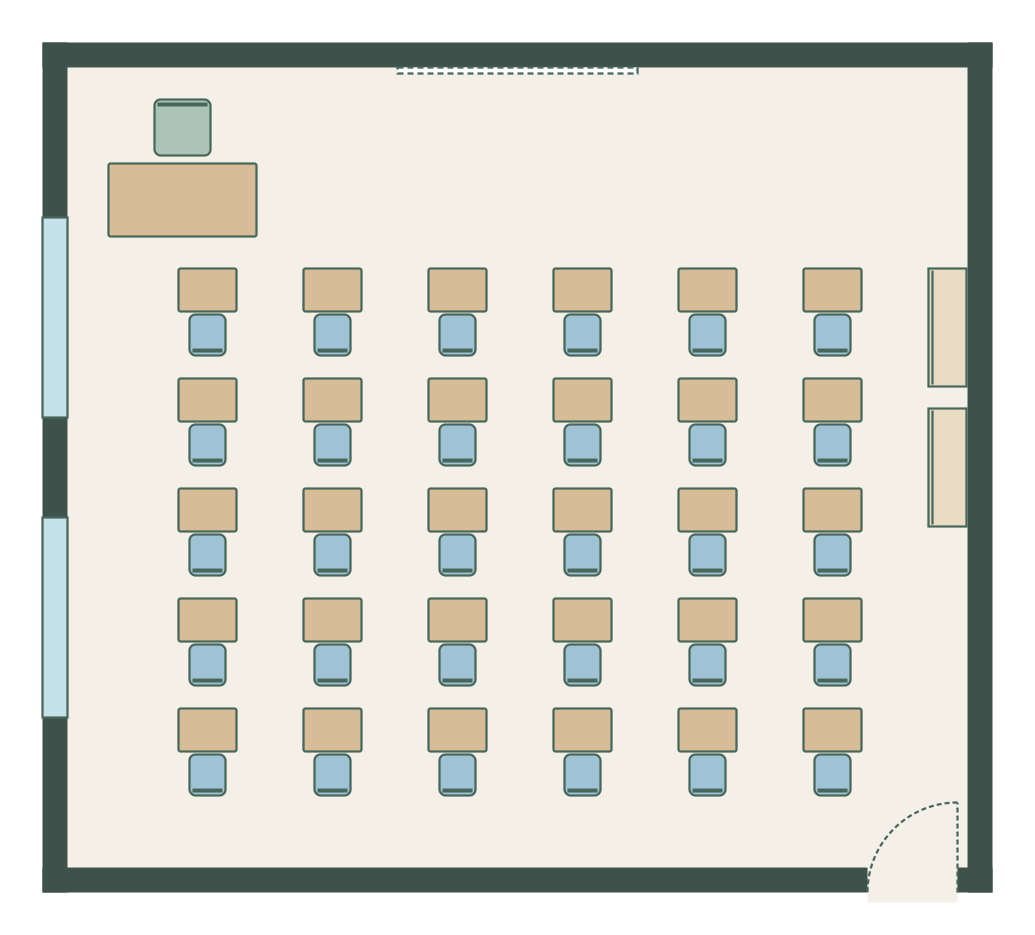
Rows facing the board
9.0 m × 8.0 m (29′ 6″ × 26′ 3″) · example layout
Thirty single desks in five rows of six, all facing the whiteboard, with the teacher’s desk at the front.
FREE CLASSROOM LAYOUT MAKER
Updated
Arrange your classroom to scale: desks in rows, groups or a horseshoe, the whiteboard, the teacher’s desk and storage. Put each pupil’s name on their seat for a seating chart. In your browser, with no sign-up.
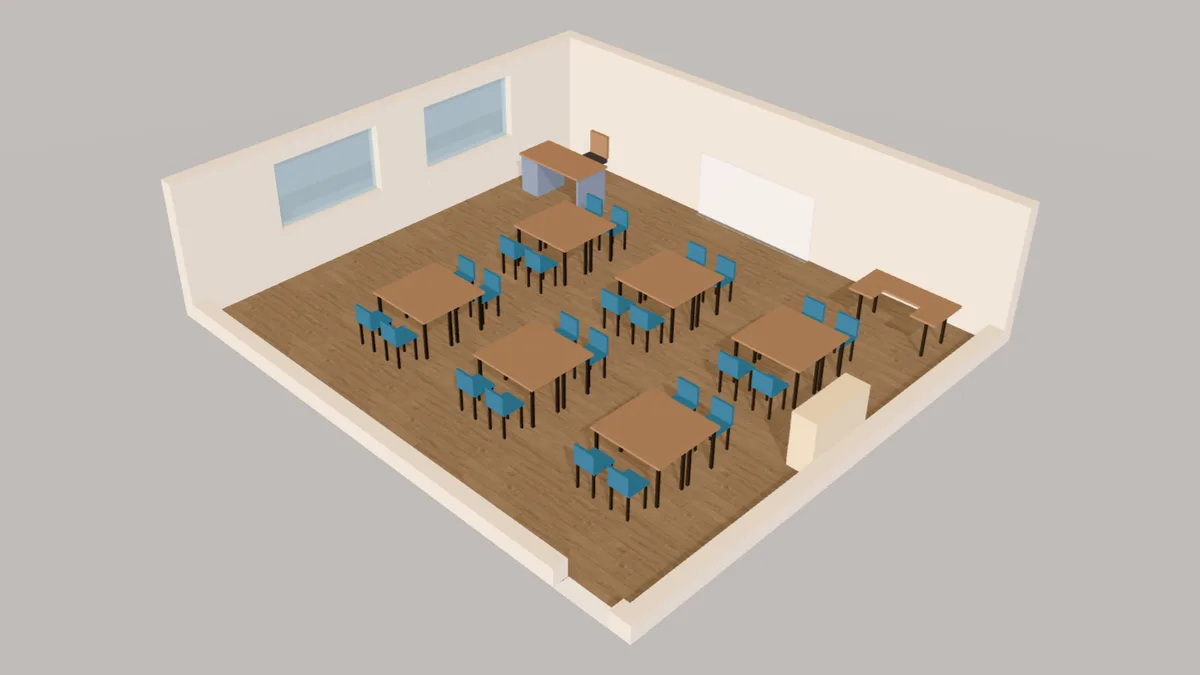
Open a furnished example and adjust each wall and item to your space. These are editable plans at the sizes shown.
9.0 m × 8.0 m (29′ 6″ × 26′ 3″) · example layout
Thirty single desks in five rows of six, all facing the whiteboard, with the teacher’s desk at the front.
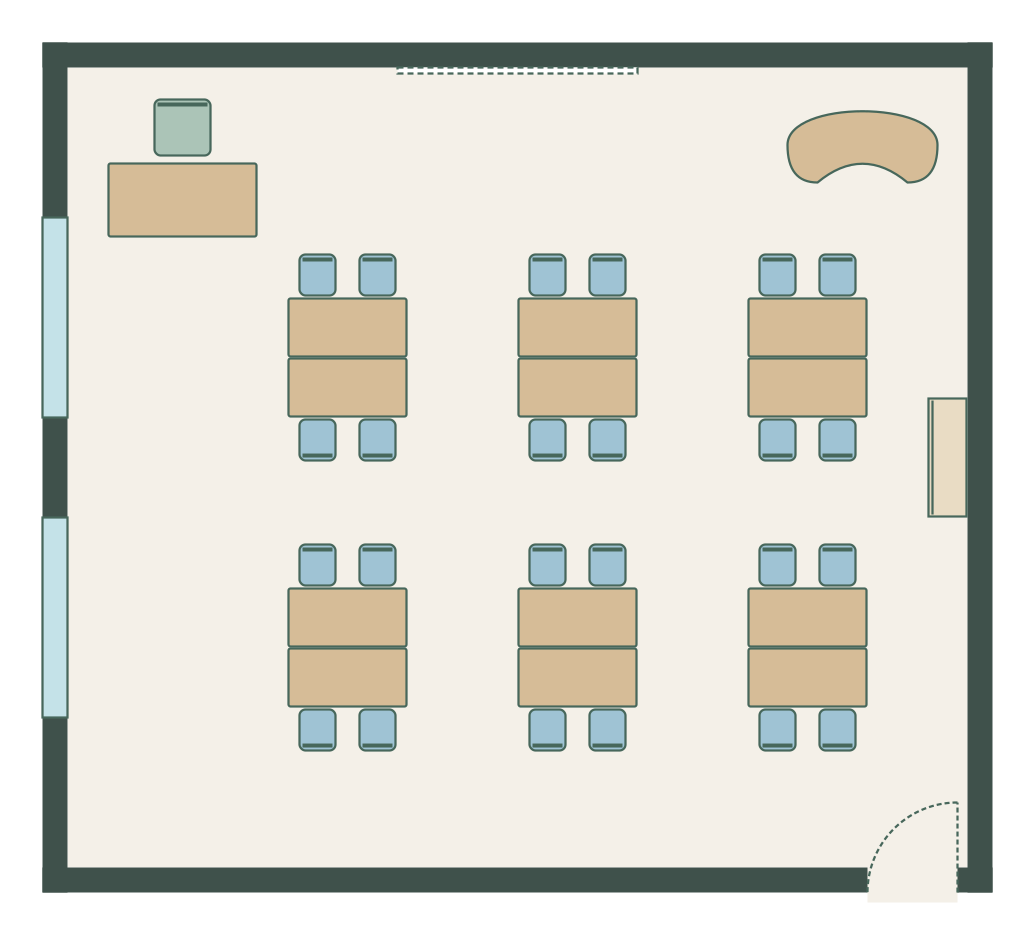
9.0 m × 8.0 m (29′ 6″ × 26′ 3″) · example layout
Six groups of four made from two-seat tables pushed together, with a kidney table for small-group teaching.
9.0 m × 8.0 m (29′ 6″ × 26′ 3″) · example layout
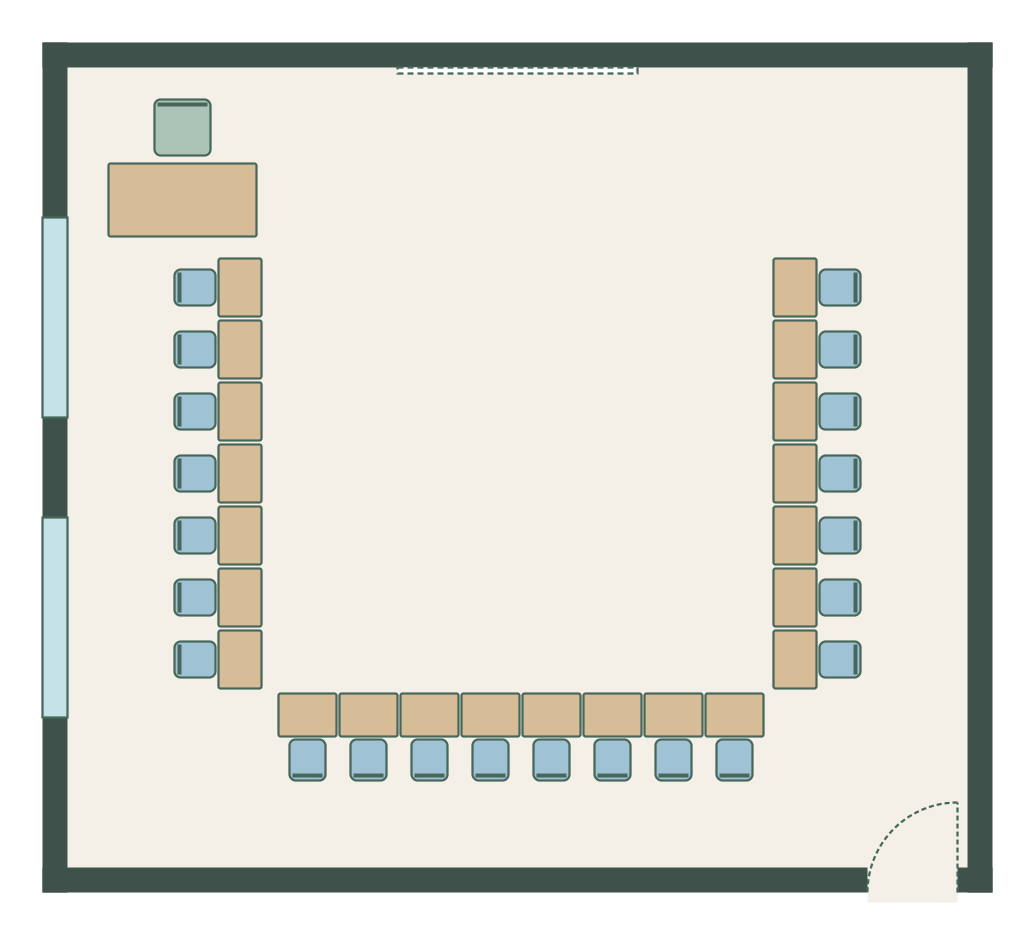
Twenty-two desks round three sides of the room facing the centre, open towards the board.
Choose a rectangle, L-shape or T-shape and enter the inside dimensions, or start on a blank grid.
Three steps from an empty room to a plan you can share.
Type the inside measurements or draw each wall. Add the door, windows and the whiteboard wall.
Start from rows, groups or a horseshoe, or drag in single desks, two-seat tables, a kidney table and storage.
Select a desk or chair and type a pupil’s name. Download the plan to print or share.
Classroom furniture at standard school sizes.
Every item is drawn at its real size in 2D and 3D, and you can type in the exact width and depth of the product you are buying. Select an item to see its distance to each wall.
Set up a classroom from the board and the door, then fit the desks to how you teach.
Mark the door, windows, whiteboard or screen, sockets and radiators. The board wall decides which way most pupils face.
Rows for direct teaching and tests, groups of four for collaboration, a horseshoe for discussion. Start from one of the layouts below.
Leave 60–75 cm (24–30 in) between desks so you can reach every pupil, and a clear route from every seat to the door.
A teaching corner with a kidney table, a reading corner with a rug, and storage pupils can reach without crossing the room.
Select each desk or chair and type the pupil’s name in Name on plan, then download and print it.
Starting from your own measurements? Open an empty classroom.
European schools size chairs and tables by pupil height (BS EN 1729-1). Pick the size mark that fits most of your class.
| Size mark | Pupil height | Typical age | Chair seat | Table top |
|---|---|---|---|---|
| 1 | 80–95 cm | 3–4 | 26 cm | 46 cm |
| 2 | 93–116 cm | 4–6 | 31 cm | 53 cm |
| 3 | 108–121 cm | 6–8 | 35 cm | 59 cm |
| 4 | 119–142 cm | 8–11 | 38 cm | 64 cm |
| 5 | 133–159 cm | 11–13 | 43 cm | 71 cm |
| 6 | 146–176.5 cm | 13+ | 46 cm | 76 cm |
| 7 | 159–188 cm | Adults | 51 cm | 82 cm |
Common sizes to plan with; the planner’s items start at these.
| Item | Metric | US |
|---|---|---|
| Single pupil desk | 60 × 45 cm | 24 × 18 in |
| Two-seat classroom table | 120 × 60 cm | 48 × 24 in |
| Teacher’s desk | 150 × 75 cm | 60 × 30 in |
| Kidney table | 150 × 75 cm | 60 × 30 in |
| Whiteboard | 240 × 120 cm, bottom 80–90 cm off the floor | 96 × 48 in |
| Aisle between desks | 60–75 cm | 24–30 in |
| General classroom for 30 (UK guidance) | About 55–70 m² | About 600–750 sq ft |
| Arrangement | Best for | Watch out for |
|---|---|---|
| Rows facing the board | Direct teaching, tests and exams; the most pupils per room | Little eye contact between pupils; group work means moving desks |
| Pairs | Talk partners, while still facing the front | Pairs at the back are far from the board |
| Groups of four | Collaboration and group projects | Some pupils sit side-on to the board |
| Horseshoe (U-shape) | Discussion, questioning and demonstrations | Seats fewer pupils than rows in the same room |
| Stations or zones | Rotating activities and early years | Needs clear signs and routes between zones |
Planning your classroom is free and stays free. You don’t need an account to draw, furnish, view in 3D or download.
Free forever, no account needed
$11 / £9 / €9.50 a month, tax included. Cancel any time.
Yes. Drawing the room, arranging desks, naming seats, the 3D view and downloading an image of the plan are free, with no account. The free image download carries a small watermark; the scaled PDF without one is part of Plus, an optional monthly plan.
Yes. Arrange the desks, then select each desk or chair and type the pupil’s name in Name on plan. The names show on the drawing and in the download, so you can print the chart or share it with a cover teacher.
It depends on the lesson. Rows suit direct teaching and tests, groups of four suit collaboration, and a horseshoe suits discussion. Many teachers keep two arrangements and switch between them.
UK guidance sizes a general classroom for 30 at roughly 55–70 m², about 2 m² a pupil including the teacher’s area and storage. Many US districts plan 20–30 sq ft per pupil.
Use pairs or rows against the side walls to free the middle, keep 60 cm (24 in) between desks, and use storage that sits against the wall. Check the route to the door on your plan before moving any furniture.
Yes. Use round activity tables, cubby storage and rugs to make zones for reading, play and table activities, and choose furniture sizes for the children’s age from the table above.
Figures were checked against these references in October 2026. They are planning guides, not regulations: check your local building, fire and accessibility rules and your suppliers’ specifications.
Draw the room, place everything at its real size and download the plan. Free, in your browser.
Start your classroom plan →