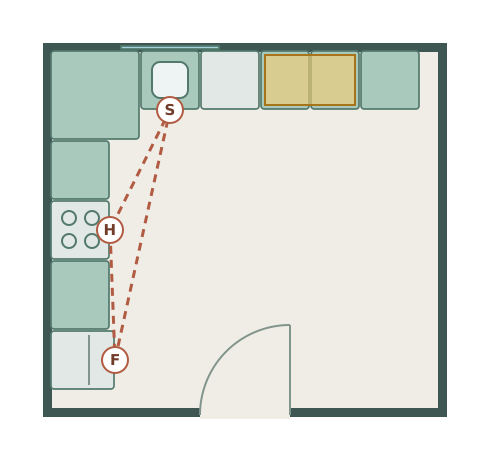
L-shaped kitchen
3.9 × 3.6 m · example room
Two cabinet runs, an open floor and a compact cooking route.
The kitchen planner is a free online tool for laying out your kitchen to scale before any units are ordered. Check the work triangle, test different configurations, and share your plan with your fitter — all free, no account needed.
Open a furnished example and adjust each wall and item to your room. These are editable plans at the sizes shown.
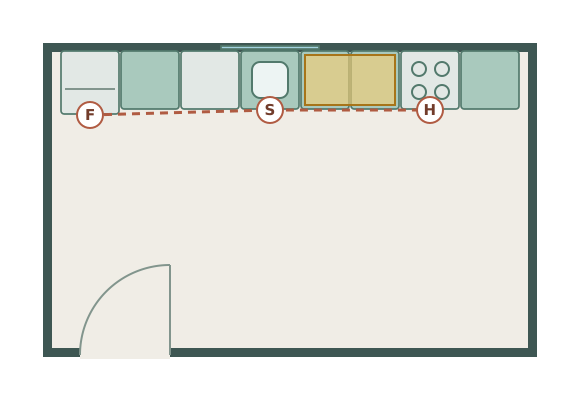
3.9 × 3.6 m · example room
Two cabinet runs, an open floor and a compact cooking route.
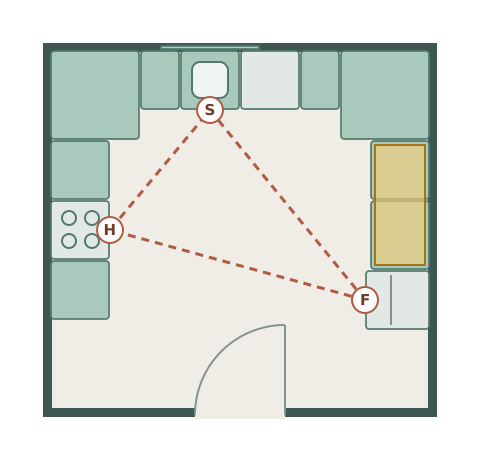
3.8 × 3.6 m · example room
Three working sides with separate washing, cooking and preparation areas.
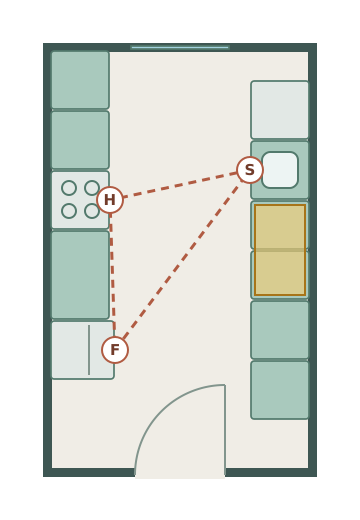
2.6 × 4.2 m · example room
Facing cabinet runs with a clear aisle through a narrow room.
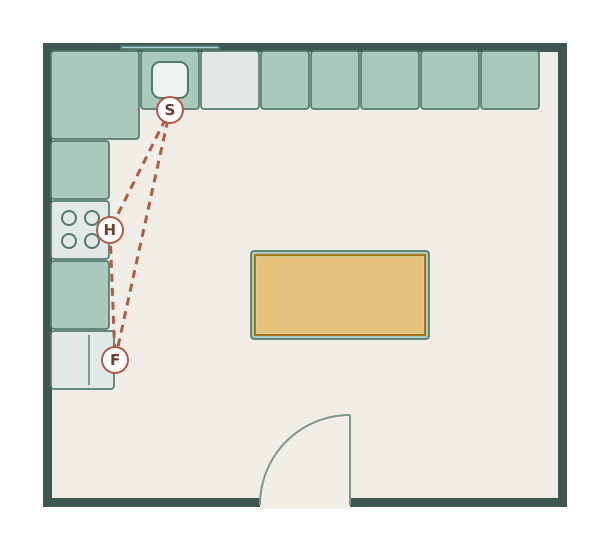
5.1 × 4.5 m · example room
An L-shaped working kitchen with an extra preparation island.
4.8 × 3.0 m · example room
One straight run, with washing and preparation before cooking.
Choose a square, rectangle, L-shaped or T-shaped room and enter its inside dimensions. Or start on a blank grid.
Enter your kitchen measurements in millimetres to create an accurate to-scale floor plan of the space.
Drag base units, wall units, appliances, and an island from the library. Resize everything to match your actual or planned products.
Verify the work triangle, check walkway widths, and download your plan to share with your kitchen fitter or supplier.
Place base units, wall units, tall units, and appliances with a single click. Snap to walls automatically.
Set your exact room size in millimetres and every unit is drawn to scale. See instantly what fits before you order.
Open the kitchen planner and start designing immediately. Nothing to install, no account to create.
Download your kitchen layout as an image to share with your fitter, designer, or retailer.
Base units, wall units, tall units, hobs, ovens, fridges, dishwashers, sinks, and islands — all with standard UK sizes.
Every item can be rotated, resized, and labelled. Test multiple kitchen layout ideas in minutes.
Map out where your new units will go before your fitter arrives. Avoid costly mistakes by checking dimensions on screen.
Galley, L-shaped, U-shaped, or island — test each configuration in your actual room dimensions before deciding.
Arrive at your design appointment with a plan already drawn. Save time, communicate clearly, and get a more accurate quote.
All items are sized to standard UK dimensions. Resize freely to match your exact products.
The work triangle connects your sink, hob, and fridge — the three most-used points in any kitchen. For an efficient layout, no single side of the triangle should be shorter than 1.2m or longer than 2.7m. Place these three elements first in Free Room Planner and check the distances before adding units.
Galley kitchens have two parallel runs of units with a walkway between — minimum 120cm clearance required. L-shaped kitchens use two adjacent walls and are the most versatile layout for small and medium kitchens. U-shaped kitchens surround the cook on three sides and maximise storage. Island kitchens add a central unit — which needs at least 100cm of clear walkway on every side. For a detailed comparison of each type, read our complete kitchen layout guide.
Allow at least 40cm of worktop beside the hob on at least one side. Allow at least 60cm beside the sink for draining. Aim for at least 80–100cm of uninterrupted prep space somewhere in the layout. These are the minimum comfortable working distances — more is always better.
Check the fridge door swing (left-hinge, right-hinge, or French door) against adjacent units. Check the dishwasher door when open — it should not block the sink or the main kitchen walkway. Mark door swings in Free Room Planner using the door feature before finalising unit positions.
If your kitchen opens into a living or dining area, the layout needs to work for cooking and socialising. Read our open-plan living guide for advice on zoning, furniture placement, and making the most of a combined space.
Plan around the real dimensions of cabinets and appliances. Every unit in the planner is drawn to a standard size — resize any of them to match your chosen range.
Base cabinets set the counter height; wall and tall units stack around them.
| Base cabinets | 24" deep · 34.5" high |
| Base cabinet widths | 9–36" |
| Wall cabinets | 12" deep · 30–42" high |
| Tall / pantry units | 24" deep · 84–96" high |
| Countertop | 25–26" deep · 36" high |
UK carcasses are highly standardised, which makes planning to scale reliable.
| Base units | 600 mm deep · 720 mm carcass |
| Base unit widths | 300–1000 mm |
| Wall units | 300 mm deep · 575–900 mm high |
| Tall units | 600 mm deep · 1970–2150 mm high |
| Worktop | 600 mm deep · ~900 mm high |
Most appliances are built to a standard width so they slot between units. US / UK shown.
| Range / cooker | 30" / 600 mm |
| Dishwasher | 24" / 600 mm |
| Fridge (standard) | 30–36" / 600 mm |
| Built-in oven | 30" / 600 mm |
| Sink base unit | 30–36" / 600–1000 mm |
Keep the routes between sink, hob and fridge short and unobstructed.
| Walkway in a work zone | 40" / 1000 mm |
| Opposing runs (galley) | 48" / 1200 mm |
| Prep space beside hob & sink | 36" / 900 mm |
| Work-triangle total | 13–26 ft / 4–7.9 m |
Galley, L-shaped, U-shaped, island and peninsula — pick the one your room can take, then draw it to scale.
Two parallel runs — the most efficient layout for narrow rooms. Keep 1200 mm between the runs.
Two adjacent walls. Flexible and great for open-plan kitchens where one run flows into living space.
Three walls — maximum storage and worktop, best in a squarer room with room to turn.
A freestanding run in the middle. Needs a room roughly 3.6 m+ wide to keep 1000 mm clear all round.
An island attached at one end — the island look for rooms too narrow for a true island.
Add units and appliances at these exact sizes and check the walkways before you order.
Open the kitchen planner →Once your layout is set, use the flooring calculator to allow for cuts and pack sizes, the tile calculator for floors and splashbacks, and the paint calculator for the remaining walls. See all calculators.
Planning a different room? Use the planner built for it — same canvas, same free export.
Position sanitaryware and fittings before the plumber arrives.
Find the best bed position and storage configuration.
Arrange sofas, tables, and entertainment units for the perfect living space.
Draw whole-floor plans with multiple rooms, walls, doors, and windows.
A kitchen layout that looks right in a brochure can still have the dishwasher door opening into the main walkway, or the work triangle stretched so wide that cooking becomes tiring. These problems are invisible until you draw the room to scale — and obvious the moment you do. The kitchen planner lets you test every configuration in your actual room dimensions: try the island, check if a galley works, see whether the fridge fits beside the tall units without blocking the door. Export the plan and share it with whoever is quoting or fitting.