
SHERWIN-WILLIAMS PAINT COLOR
Sherwin-Williams Urbane Bronze SW 7048
A deep, warm bronze-gray. On screen it sits between charcoal and a dark taupe. See it at room scale before you buy a tester: try Urbane Bronze on the walls of your own room in the free 3D planner.
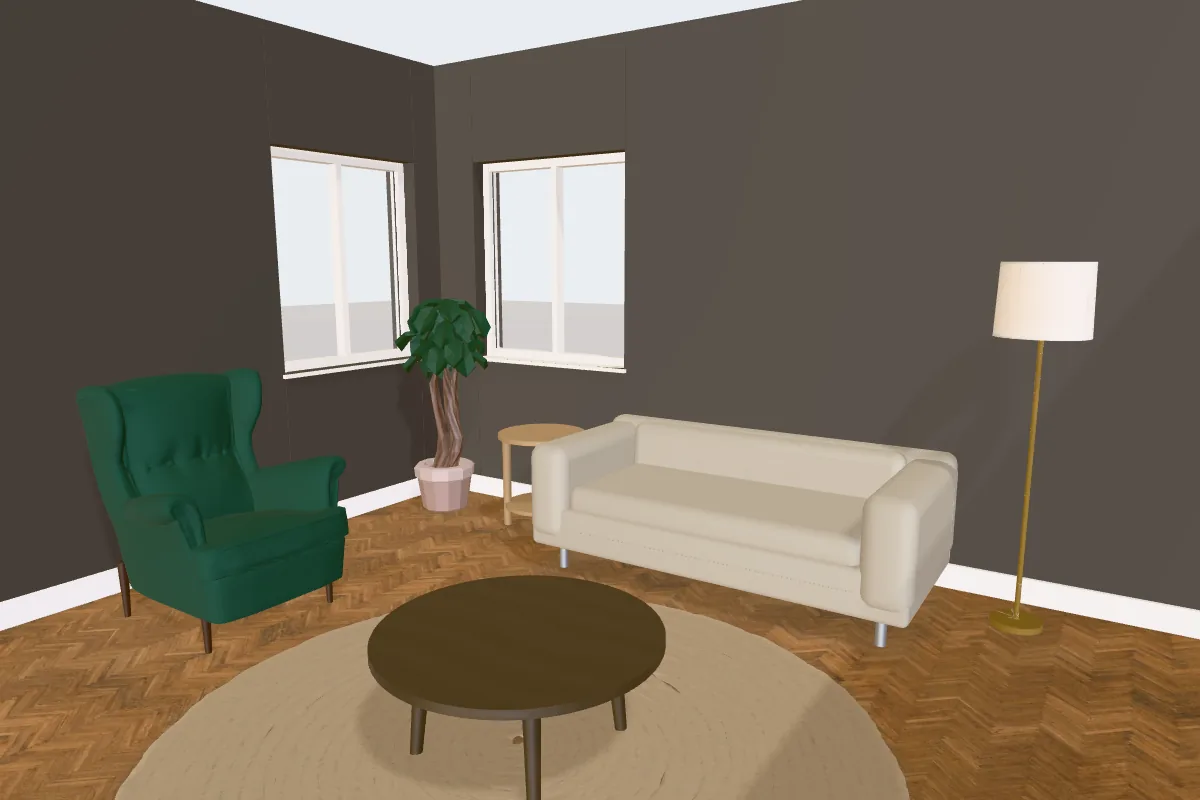
Urbane Bronze at a glance
| Brand | Sherwin-Williams |
| Color name | Urbane Bronze |
| Code | SW 7048 |
| Hex (on screen) | #54504A |
| RGB | 84, 80, 74 |
| Light reflectance (est.) | About 8 |
| Looks like | Deep warm gray |
| Undertone | Warm, with a yellow cast |
| Popularity | The 11th most searched Sherwin-Williams color in the planner’s library: about 12,900 searches a month in the US |
The hex value is the planner’s on-screen approximation, not a paint formula, and the light reflectance is estimated from it. Screens, daylight, bulbs and sheen all change how a paint looks, so check a physical sample or tester pot on your wall before you order. The official Sherwin-Williams color page has the manufacturer’s own details.
How Urbane Bronze behaves in a room
With an estimated light reflectance of about 8, it absorbs most of the light that reaches it. That makes a room feel enclosed and cosy, which is usually the point; plan lighting for the evening.
Its undertone is warm. Warm colors hold up well in north-facing rooms, where daylight is cooler, and can look richer or more yellow in strong south-facing light.
Where it tends to be used
Deep colors like this are usually used with intent: a feature wall, a study, dining room or snug, front and internal doors, cabinets or woodwork.
Try Urbane Bronze in your room. Draw your room to size or open a furnished kitchen, then paint the walls in 3D. Free, with no sign-up.
Open the planner →Colors that pair with Urbane Bronze
Suggestions from the same Sherwin-Williams range in the planner, chosen for contrast or a tonal match. Try them side by side on different walls before deciding.
Closest matches from other brands
The colors from other brands in the planner that look nearest to Urbane Bronze on screen, measured by color difference (ΔE: under 2.5 is hard to tell apart on screen, over 9 is clearly different). Useful if you like the look but want a different brand or price.
Try Urbane Bronze on your own walls in 3D
- Open the planner and draw your room to its real size, or start from a furnished layout such as the living room or bedroom examples.
- Switch to 3D and open the Design panel, then choose Walls.
- Search for “Urbane Bronze” or “SW 7048”, or filter by brand. Paint the whole room or select a single wall for a feature wall.
The planner is free with no sign-up. Brand paint colors are premium finishes: you can preview Urbane Bronze in your room for free, and Plus keeps brand colors in your saved plan.
More Sherwin-Williams colors
Questions
Is Sherwin-Williams Urbane Bronze warm or cool?
On screen it reads as warm: its undertone is warm, with a yellow cast. Check a sample in your own light, as the direction a room faces changes how warm or cool a color looks.
What is the LRV of Urbane Bronze?
Estimated from the on-screen color, its light reflectance value is about 8 on a scale where 0 is black and 100 is pure white. The manufacturer’s published LRV is measured from real paint and may differ slightly.
What is the closest match to Urbane Bronze from another brand?
In the planner’s library, the nearest on screen is Benjamin Moore Silhouette (AF-655). On-screen matches are a starting point only: compare real samples side by side before switching.