For art galleries
Let buyers see the painting on their own wall
Add a “See it in your room” button to each painting’s page. Buyers set the room to their own size and see that painting on the wall in 3D, at its real size, with its frame. When they are ready, they send you an enquiry about it.
- Answers “will it be too big for that wall?” before they ask
- Free, with 3 enquiries a month
- Live on your site in about two minutes
- Works on WordPress, Wix, Squarespace, Shopify and more
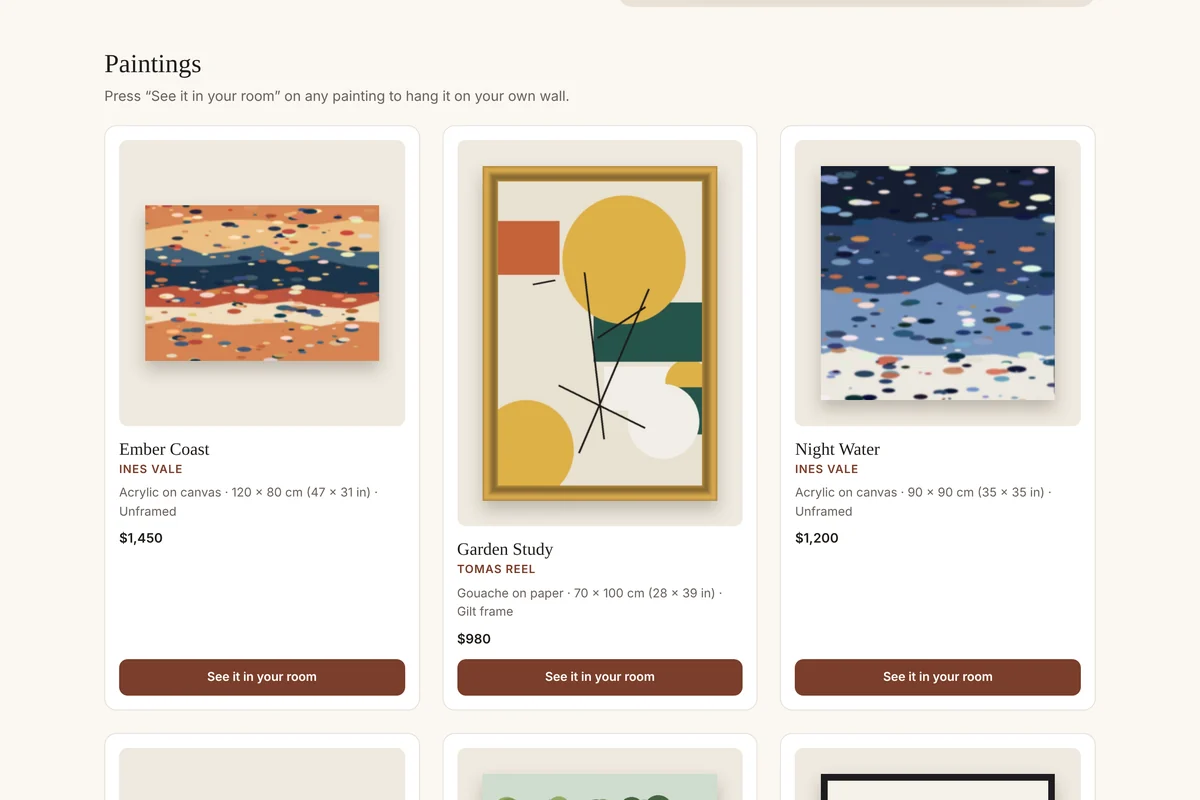
On their wall, at its real size
Free hangs your paintings in the buyer’s room in 3D. Store Pro lets them make the room exactly their own, and takes your whole collection.
How will it look on my wall?
- A “See it in your room” button on each painting’s page, for up to 10 paintings
- Buyers set the room to their size and see the painting in 3D at its real size, standing off the wall with its frame or canvas edge
- Enquiries come to you with the painting, the wall and their details: 3 a month free
In a room that is really theirs
- Up to 250 paintings, each with its own button
- Buyers match their own wall colour and floor, with the full furniture library
- Your logo and colours on the planner, your own questions, and every enquiry in your dashboard
From their plan to your inbox
What a customer does on your website, and what lands in your inbox. Shown with invented sample data.
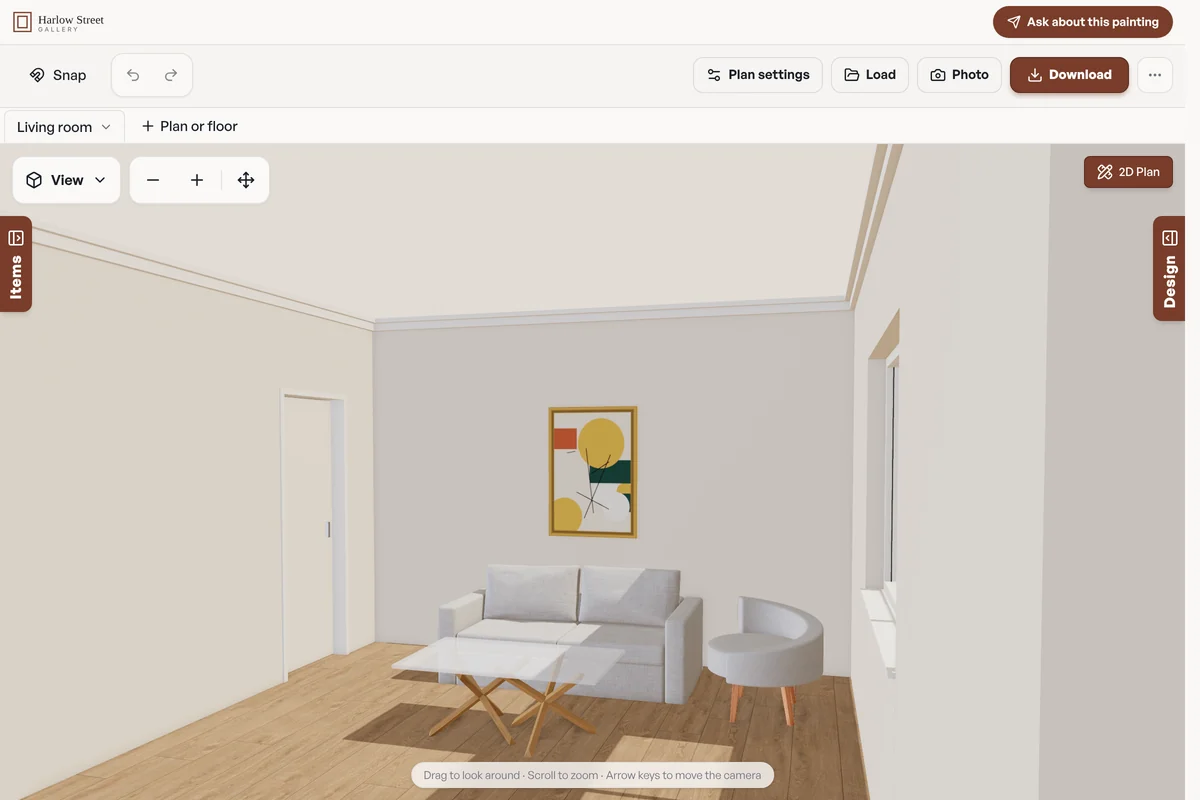
1. The buyer sees the painting above their own sofa, in 3D (shown on Store Pro) 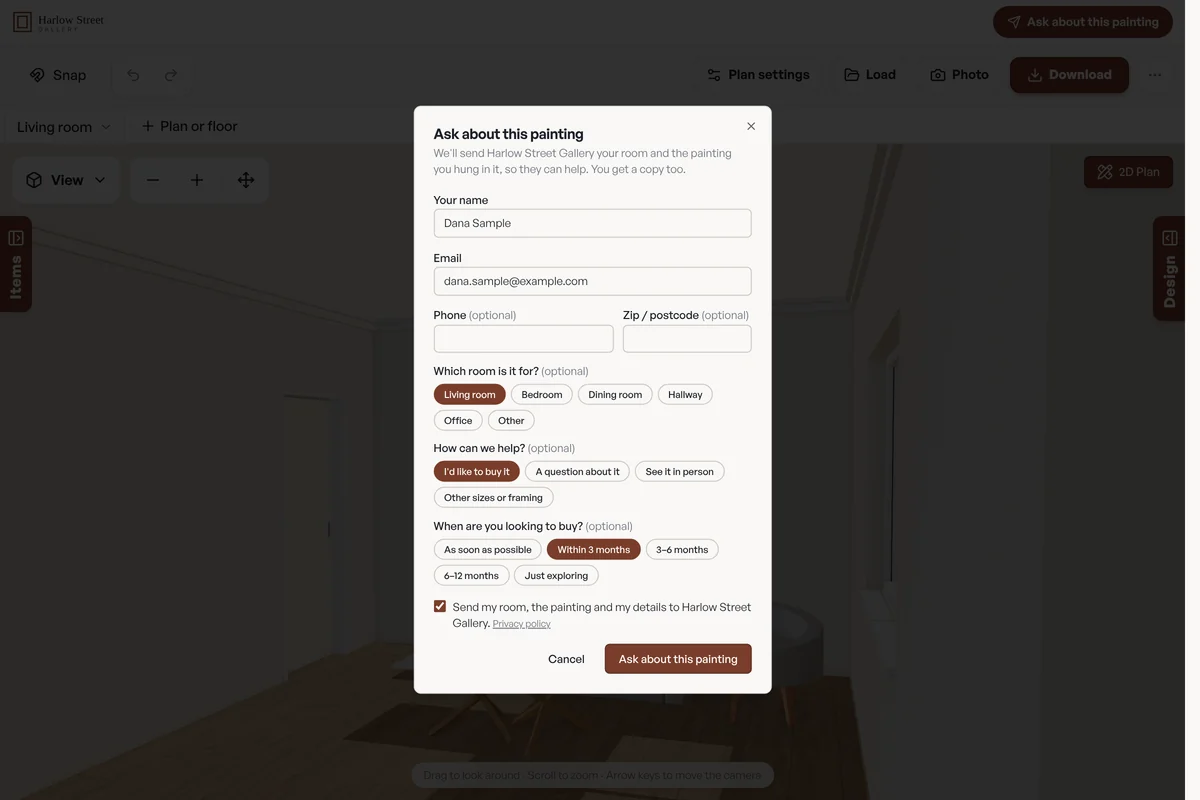
2. They press “Ask about this painting” 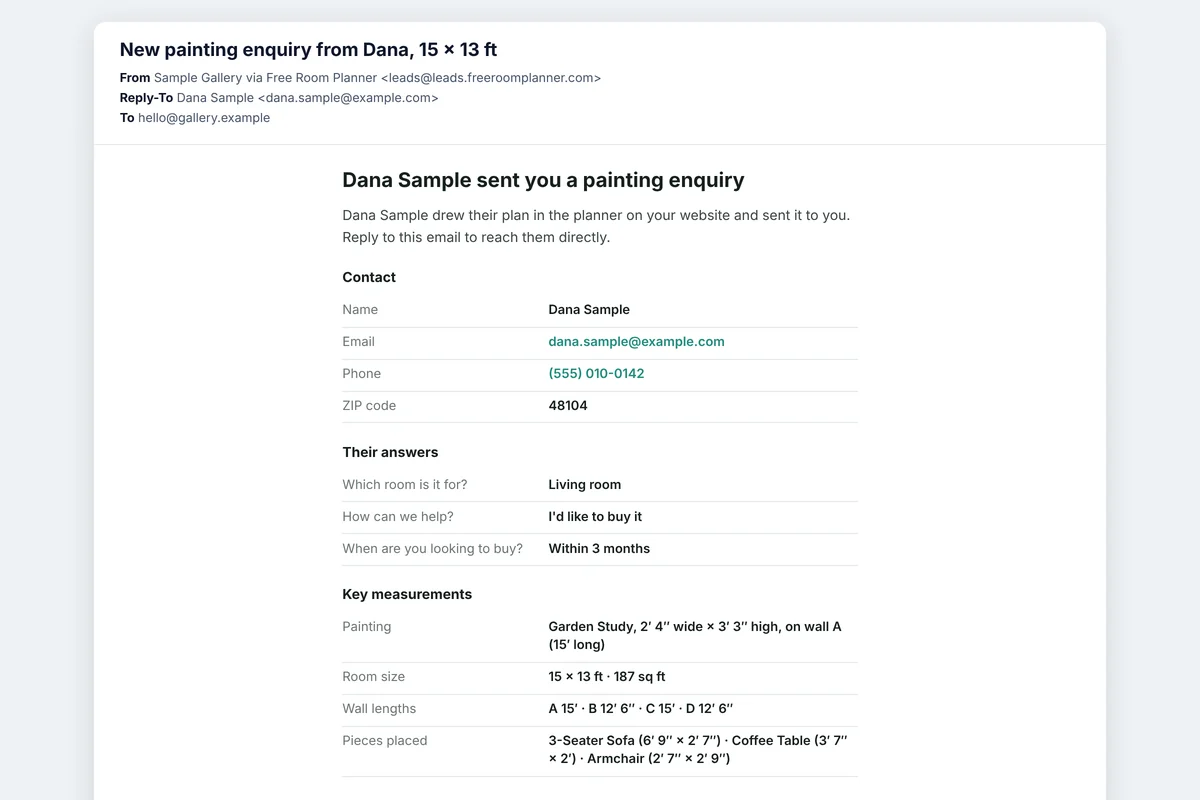
3. You get the enquiry by email
Try it as your customer would
This is the planner exactly as it would sit on your site. Set the room to your size, try a painting on the wall and send an enquiry: we’ll email you the enquiry a business receives. Nothing goes to a real business.
Free is the in-page planner. Store Pro adds 3D, every tool, and opens full screen on your site. The demo sends only to the email address you type in. Privacy policy.
How it works
Three steps, about two minutes.
Add your paintings
Upload a photo of each painting and enter its width and height. Say whether it is framed, and we give it its frame or its painted canvas edge. Free for up to 10.
Paste a button on each painting’s page
Each painting gets its own “See it in your room” button. There is also one “Try our paintings” button for your home page.
Get their enquiry
Buyers set the room to their size, see the painting on their wall, and ask you about it. You get the painting, the wall it is for and their details.
What the form asks
The button reads “Ask about this painting”. Budgets show in your currency.
Free and Store Pro
Free includes 3 enquiries a month. Store Pro ($29 a month or $290 a year; £29 or £290 for UK stores) has no limit, and adds control and polish.
| Feature | Free | Store Pro |
|---|---|---|
| A “See it in your room” button for each painting, and one for the whole gallery | Yes | Yes |
| Your paintings in the planner, from your own photos | Up to 10 | Up to 250 |
| Buyers see the painting on their wall in 3D, at its real size, with its frame | Yes | Yes |
| Wall colours, floors and furniture for the buyer’s room | The standard set | The full set, premium included |
| Plans emailed to you, with answers and measurements | 3 a month | Unlimited |
| Lead form questions | The preset’s, fixed | Edit, reorder, add up to 10, required, “only show if” |
| Photo upload on the form | — | Yes |
| The plan to scale as a PDF | Image only | Yes |
| Your logo and colours | — | Yes |
| Every plan in a dashboard, CSV export, monthly stats | By email | Yes |
| Extra recipients | — | Up to 5 |
| Send leads to Zapier or your CRM (webhook) | — | Yes |
| “Powered by Free Room Planner” credit | Standard | Smaller |
Prices and terms
Everything you agree to, in plain words. The full Store Terms are the agreement.
| Free | $0, for as long as you like. 3 enquiries a month. After the 3rd, the send button is hidden until the 1st of the next month, so no buyer sends something you won’t receive. The planner keeps working on your site, and we email you when it happens. |
|---|---|
| Store Pro | $29 a month or $290 a year; £29 or £290 for UK stores. Unlimited enquiries. |
| Your free month | Store Pro starts with 30 days free. You add a card when you start, and we don’t charge it during those 30 days. If you don’t cancel, Store Pro carries on and your card is charged on day 31, then every month or year in advance. We email you two days before the free month ends. |
| Cancelling | Cancel any time from your dashboard: Plan, then “Manage billing, card or cancel”. Cancel in the free month and you pay nothing. Otherwise Store Pro stays on to the end of the month or year you have paid for, then your planner goes back to the free plan on its own. Your products and enquiries stay. |
| Refunds | We don’t refund part of a month or year once it has started. |
| Tax | Dollar prices are before any sales tax that applies. Pound prices for UK stores include VAT. Checkout shows the exact total before you pay. |
| Extra galleries | $19 a month each (£19 for UK stores), added to Store Pro. One gallery and its website are included. |
More than one gallery?
Store Pro covers one gallery and its website. Each extra gallery is $19 a month (£19 for UK stores), with its own enquiry inbox, its own list of the paintings it shows and its own monthly figures. Buyers pick a gallery when they send their plan, or we pick the nearest from their postcode or ZIP code.
$48 a month: Store Pro ($29) and 1 extra gallery ($19). UK stores pay the same numbers in pounds.
With 10 or more galleries, or a very large catalogue, we put together a Group plan, billed yearly. Email ben@freeroomplanner.com with how many galleries you have.
Questions from art galleries
How do our paintings get into the planner?
You add each one yourself, in a minute or so: a photo of the painting taken straight on, its width and height, and whether it is framed. An unframed canvas gets sides in its own edge colour. A framed one gets sides in the frame’s colour, and if your photo shows only the picture we can draw a simple frame round it. The painting stands a little off the wall, as it would at home, and is always shown at its real size. When one sells, mark it as sold: its button then tells the buyer and shows your other paintings.
How much does it cost?
Nothing. The planner is free, and so are your first 3 leads each month. Store Pro ($29 a month or $290 a year; £29 or £290 for UK stores) has no limit on leads, and adds up to 250 paintings, the full set of wall colours, floors and furniture for the buyer’s room, your own questions, your logo and colours, photo uploads, a PDF of the plan to scale, extra recipients, a dashboard with CSV export and a webhook to your own systems.
How do leads arrive?
By email, from leads@leads.freeroomplanner.com with your business name on it. Press reply and you are writing to the buyer. Each email has their contact details, their answers, the painting and the wall it is for and the plan itself. The first time, we ask you to confirm the address; plans sent before then are kept and delivered as soon as you confirm.
Which website builders does it work with?
Any that let you add a block of HTML: WordPress, Wix, Squarespace, Shopify, GoDaddy, Webflow, Duda and plain HTML sites. The code is a single iframe with no script, so it also works where scripts are blocked. You can also email the code to whoever looks after your website.
Can I change the questions?
On the free plan the Art galleries questions are fixed. With Store Pro you can edit, remove and reorder them, add up to 10 of your own (text, choices, numbers, dates, photos), make any of them required, and show a question only when an earlier answer calls for it.
What do buyers see?
A “See it in your room” button on the painting’s page. It opens the planner over your page in 3D, with that painting on the wall of a room. They set the room to their own size, add their sofa, bed or table, and can try your other paintings too. When they send an enquiry, they tick a box to send it to you and get a copy by email. There is a small “Powered by Free Room Planner” link in the planner.
Put “See it in your room” on your website
Free to start, and live in about two minutes.
Set it up for free