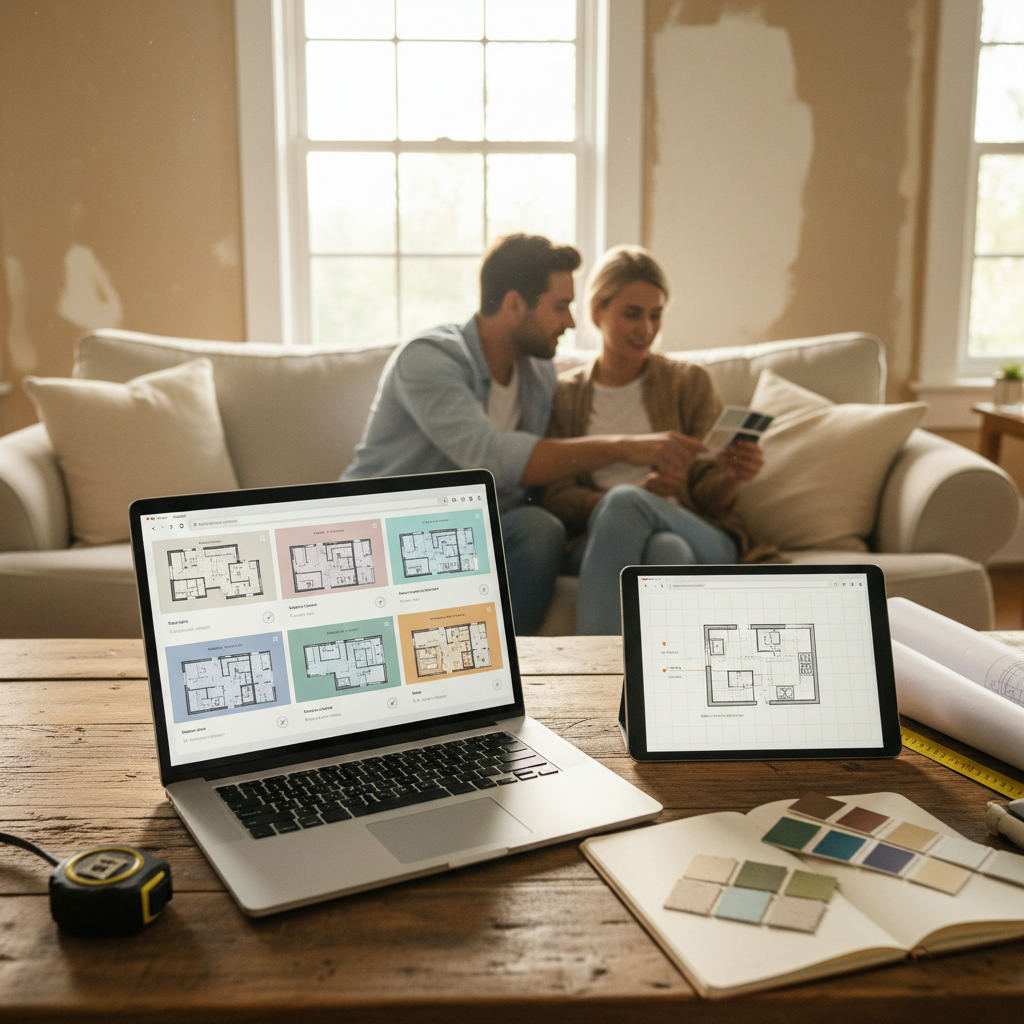
TL;DR: Most 'free' floor plan tools either demand a download, hide export behind a paywall, or force you to register before you can draw a single wall. This guide cuts through the noise. This guide compares seven tools using five selection criteria. Free-plan and export terms vary; it is not a documented hands-on test of all seven products. Free Room Planner is one option for drawing without an account. Use the checklist below before choosing.
You searched for a free floor plan tool. You clicked a result that looked promising. And within thirty seconds, you were staring at a download prompt — or a sign-up screen — before you'd drawn a single wall.
By Free Room Planner Team · Last updated: May 2026That's the norm, not the exception. Most tools marketed as 'free' or 'online' bury the barrier. The download comes first. The account wall appears the moment you try to save or export. You invest twenty minutes learning the interface, then discover the feature you actually need costs £10 a month.
Browser access, free drawing and free export are separate questions. This guide uses official product information where linked; it does not report a completed hands-on test of every tool.
If you've been burned before, this guide is for you.
What 'No Download Required' Actually Means (and Why It Matters)
The phrase gets used loosely. Here's what it should mean — and what to watch for.
Browser-Based vs Desktop App: The Real Difference
A truly browser-based tool runs entirely in your web browser — Chrome, Firefox, Safari, Edge — without touching your file system. You open a URL, the tool loads, and you start drawing. Nothing is installed on your machine. You can use it on a work computer, a friend's laptop, or a tablet without leaving anything behind.
A desktop app is different even if the company markets it as 'online'. Some tools use an Electron wrapper or require a plugin. Others prompt you to download an installer before the web version becomes accessible. The test is simple: can you draw a room and export it without ever downloading a file to your device?
Why 'Free' Doesn't Always Mean Instant Access
'Free' is one of the most overused words in software marketing. Here's what it can actually mean:
- Free trial — full access for 7 or 14 days, then a paywall
- Freemium — basic access free, but key features like export or sharing locked behind a paid plan
- Free with sign-up — no cost, but you must create an account first
- Genuinely free — open access, no account, no time limit, no hidden cost
For homeowners who just need to sketch a layout and share it with a contractor, the difference matters enormously. A tool that exports only to a proprietary format — or charges to download your own floor plan — is not genuinely free for your purposes.
How to Evaluate These Tools
Try this before choosing a tool: open a new project, draw a 4m × 5m room, add three pieces of furniture and attempt to save or export it. Record any account requirement, payment prompt or output limit. This is a suggested test for your project; we do not have records establishing that it was completed across all seven tools.
The 5 Criteria Every Tool Was Judged On
- No Download — Does the tool run entirely in-browser without any installation?
- No Sign-Up Required — Can you start drawing immediately without creating an account?
- Free 2D Floor Plan — Is the core 2D drawing functionality genuinely free?
- Furniture Library — Does the tool include a usable set of furniture items at no cost?
- Export Without Paywall — Can you download or share your floor plan without paying?
These five criteria form the comparison table later in this article.
Seven Floor Plan Tools: Browser Access and Free-Plan Limits
1. Free Room Planner (freeroomplanner.com) — Best for Homeowners Who Want Zero Friction
Free Room Planner is an option for drawing without an account. You open the site, choose your room type — kitchen, bathroom, bedroom, living room, or a full multi-room layout — and you're drawing immediately. No account prompt. No loading screen asking for your email. No countdown to a trial expiry.
The snap-to-grid system is the standout feature for accuracy. Metric walls snap in 1cm steps; new plans in feet mode use whole-inch wall snapping. Enter your measured dimensions and check furniture sizes against their real specifications. Live measurements update as you drag walls and resize furniture, which removes a significant source of miscommunication when you send the plan to a builder or fitter.
The furniture library covers the items most homeowners actually need — kitchen units, bathroom fixtures, beds, sofas, dining tables, and desks. It's not exhaustive, but it's curated for the task rather than overwhelming you with options.
Export is a free PNG image with a Free Room Planner badge; no account is required. That's the file format contractors and kitchen fitters can actually open without specialist software.
For homeowners planning an open-plan space, the multi-room mode works well — see the open plan kitchen living room layout guide for layout ideas before you start drawing.
Best for: Homeowners briefing contractors, kitchen and bathroom renovation planning, quick furniture layout checks.
Features and limitations: Includes a 3D view. The furniture library is focused rather than exhaustive.
Verdict: Useful for an initial measured layout, with a simple 3D view and branded PNG output.
2. Floorplanner
Floorplanner’s Basic account allows five free projects and SD exports with a watermark. Higher-quality output uses credits. This corrects our earlier one-project limit; review its current allowance before starting.
3. Planner 5D
Planner 5D separates free access from paid features. Check the required furniture and saving workflow before designing your whole room.
4. RoomSketcher
RoomSketcher separates free access from output credits and Pro features. Do not assume that a web account means its complete drawing workflow needs no installation: check the supported app for your device first.
5. SmartDraw
SmartDraw offers subscriptions; its trial is not a permanent free tier. Verify whether your trial allows the export you need before drawing a full plan.
6. Canva
Canva offers floor-plan templates and visual editing. Check the scale yourself, particularly after resizing a design. Confirm that the chosen template and assets are included in your plan.
7. Roomle
Roomle describes web and mobile room planning with 3D and synchronised plans. We have not verified its current consumer export entitlement, so we do not score that feature as free or paid.
Check These Before Investing Time
| Question | What to confirm |
|---|---|
| Can I draw here? | The editor works on your device, not just the account dashboard. |
| Can I represent my room? | Dimensions and furniture sizes can match your measurements. |
| Can I keep my work? | Try saving and reopening a small project. |
| Can I share the result? | Check export format, branding, resolution and any payment requirement. |
Which Tool Should You Choose? (Decision Guide)
The comparison table gives you the headline answer. But the right tool depends on what you're actually trying to do.
If You're Planning a Kitchen or Bathroom Renovation
Accuracy is non-negotiable here. A layout that's off by 15cm (6 inches) can mean a kitchen unit that doesn't fit or a bathroom vanity that blocks the door. Use a tool with a calibrated measurement system — not a template-based approach.
Free Room Planner's snap-to-grid and live measurement display make it the recommended choice for this scenario. Before you start drawing, read the kitchen renovation planning guide to understand what measurements your fitter will actually need from you.
If You Need to Share a Plan With a Builder or Fitter
Contractors need a file they can open, read, and refer to on site. A clean PNG with room dimensions visible is the most practical format. Avoid tools that export only to proprietary formats or that require the recipient to create an account to view the plan.
Free Room Planner exports a clean PNG image — no app required to view it, no account needed on the recipient's end. RoomSketcher's shareable link is an alternative if you prefer a live web view over a static image.
If You Just Want to Rearrange Furniture in One Room
You don't need a complex tool for this. Draw the room, drop in the furniture, drag things around until the layout works. Export the result so you have a reference before moving anything heavy.
Free Room Planner handles this well. For a deeper look at furniture arrangement techniques, the free furniture arrangement tool guide covers room-specific layout approaches that work alongside any floor plan tool.
If You're Planning a Full Multi-Room Layout
Multi-room layouts — an entire flat, a house extension, or a whole-home renovation — need a tool that handles multiple connected spaces without resetting between rooms.
Free Room Planner's multi-room mode handles this without a download or account. For more complex projects with many rooms, Floorplanner's free account option is worth considering despite the registration requirement — the project management features are stronger for longer-term use.
Common Mistakes People Make When Choosing a Free Floor Plan Tool
The tool itself is only part of the equation. Most homeowners who end up frustrated haven't chosen the wrong tool — they've fallen into one of three avoidable traps.
Mistake 1: Assuming 'Free' Means Fully Unlocked
As the comparison table shows, 'free' rarely means the same thing across tools. The most common sting is discovering that export is paywalled. You spend thirty minutes building an accurate layout, click download, and hit a subscription prompt.
Always test the export function before investing time in a layout. Open a blank room, draw two walls, place one piece of furniture, and try to export. If that step hits a paywall, you know before you've wasted your afternoon.
Mistake 2: Skipping the Measurement Step
This is the single biggest source of miscommunication between homeowners and contractors. A floor plan that looks right on screen but uses wrong dimensions is worse than no floor plan — it creates false confidence.
Before opening any tool, measure your room and write the numbers down. Wall lengths, door widths, window positions, and any fixed points like radiators or boiler positions. For metric measurements, work in centimetres. For imperial, work in inches. Then enter those numbers into the tool precisely rather than dragging walls until the shape looks approximately right.
Learn how to draw floor plans accurately with a step-by-step approach that applies to any room type.
Mistake 3: Choosing a Tool That's Too Complex for the Job
More features are not always better. If you need to sketch a living room layout to check whether a sofa fits, you do not need a tool with a 3D renderer, a material library, and a lighting simulator. The extra complexity adds friction and increases the chance you abandon the task before finishing.
Match the tool to the job. For a single room, a simple 2D tool with snap-to-grid is all you need. Reserve the more involved tools for projects where the additional features actually serve a purpose.
Tips for Getting the Most Out of Any Browser-Based Floor Plan Tool
Regardless of which tool you choose, these habits will save you time and improve the accuracy of your floor plan.
Measure first, draw second. Write your room measurements on paper before opening the tool. Chasing measurements mid-session breaks your focus and increases the chance of errors.
Use snap-to-grid wherever it's available. Freehand placement introduces small inaccuracies that compound across a whole room. A 5cm (2-inch) error in one wall can push a kitchen unit into the wrong position entirely.
Label rooms and key features clearly. If you're sharing the plan with a contractor, don't assume they'll interpret unlabelled spaces correctly. Label the room name, note where the window and door are, and mark any fixed services like gas pipes or soil stacks.
Export before closing the tab. Some browser-based tools don't autosave between sessions. If you've built a detailed layout, export it immediately — even if it's just a rough version — so you have a backup.
Include both metric and imperial if your contractor works in different units. UK fitters typically work in millimetres, while many US contractors use feet and inches. Some tools display both simultaneously; if yours doesn't, note the conversion alongside the exported plan.
Start with the room shell, then add furniture. Place all four walls, mark the door swing, and mark windows before you place a single piece of furniture. The structure constrains the layout, so getting it right first saves rearranging everything later.
If you're working on a home office alongside your renovation, the home office layout planning guide shows how the same floor plan approach applies to getting desk and storage placement right.
Conclusion and Next Step
Browser-based floor plan tools have come a long way. The best ones genuinely require no download, no account, and no payment — and they produce accurate, shareable results that contractors can actually use.
The comparison table in this article applies a strict filter. Only one tool passes all five criteria without compromise: Free Room Planner. It's the right starting point for homeowners who want a room layout now, not after signing up, installing software, or hitting a paywall.
The other tools on this list have genuine strengths — Floorplanner's 3D view, RoomSketcher's shareable links, Canva's familiar interface — but each comes with a trade-off. Know the trade-off before you invest time in a layout.
Ready to start? Open the free planner at freeroomplanner.com right now — no account needed, no download, just draw.
Related reading
- Free 2D Floor Plan Creator: 6 Options Compared (2026)
- Best Free House Floor Plan Creators 2025
- Best Free Floor Plan Software for Home Renovation 2025
- Room Planner App No Sign Up: Start Drawing Instantly
- Virtual Bathroom Designer No Download: Best Free Tools 2026
- How to Draw Floor Plans Accurately (Free Method)