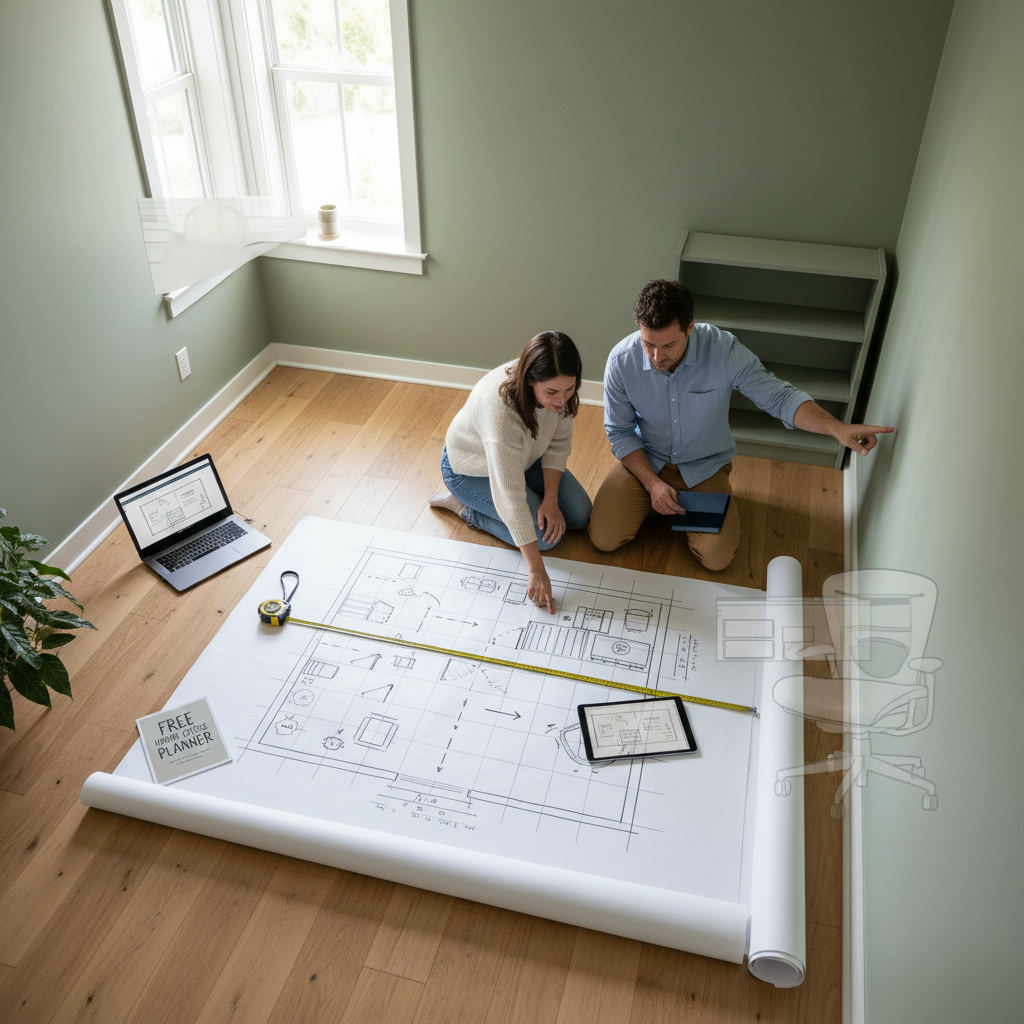
Planning a home office layout means measuring the room first, matching a desk arrangement to its shape, and testing the plan to scale before you move or buy anything.
By Free Room Planner Team · Last updated: July 2026Most people buy the desk first, then try to make the room work around it. That's how you end up with a desk wedged against a radiator, a chair that can't recline because the door swings into it, and a screen that glares every afternoon. Layout comes first. Furniture comes second.
This guide walks through six steps with real dimensions, named layout patterns, and 30-second ergonomic checks. A small spare room, an awkward alcove, or a bedroom that doubles as a guest space all work. Poor planning is the barrier, not the room size.
In this article
- Why does layout matter more than furniture?
- Step 1: Measure your room before anything else
- Step 2: Choose a layout pattern that fits your room shape
- Step 3: Get desk placement and ergonomics right
- Step 4: Plan storage so it doesn't eat your floor space
- Step 5: Factor in lighting before you fix furniture
- How do you test a home office layout before moving furniture?
- What are the best home office layouts for small spaces?
- Your next step: map it out first
- Frequently Asked Questions
Why does layout matter more than furniture?
For the complete guide on this topic, see How to Plan a Home Office Layout: The Complete Guide.
Layout matters more than furniture because it controls how much natural light reaches your screen, whether hallway noise interrupts calls, and how your posture holds up over an eight-hour day. Get the layout right and the furniture choices become obvious. Get it wrong and no amount of kit fixes it.
Small rooms are not a problem. A room measuring 2.4 m x 2.1 m (8 ft x 7 ft) fits a fully functional solo desk setup. What productive box-room offices share is intentional planning: every centimetre accounted for before anything gets purchased or moved.
Do this now: Jot down the rough dimensions of the room you're considering. Even a back-of-envelope number gives you a starting point.
Step 1: Measure your room before anything else
Every decision here rests on accurate measurements. Eyeballing a room is how furniture ends up 10 cm too wide for the wall. Spend 15 minutes measuring once and you won't waste hours later.
What to measure
- Floor dimensions. Length and width at floor level. Measure at two points if the walls might not be parallel — older homes often aren't.
- Ceiling height. Relevant for overhead shelving, wall-mounted monitors, or tall storage.
- Door swing arc. Open the door fully and note how far it swings into the room. That arc is dead space.
- Window positions. Distance from each window to the nearest corner, plus sill height from the floor.
- Radiator and socket locations. Mark these on a sketch. A desk over a radiator or blocking your only double socket causes daily frustration.
Minimum space requirements for a home office
These are working minimums — the smallest footprint in which each setup functions comfortably:
| Setup | Minimum floor space |
|---|---|
| Solo desk only | 2.4 m x 2.1 m (8 ft x 7 ft) |
| Desk plus storage unit | 3 m x 2.4 m (10 ft x 8 ft) |
| L-shaped desk or dual monitor | 3.6 m x 3 m (12 ft x 10 ft) |
| Standing desk with clearance | 3 m x 2.7 m (10 ft x 9 ft) |
If your room is smaller than the solo minimum, a wall-mounted fold-down desk or a narrow shelf desk still creates a functional workspace — see the small-space scenarios below.
Do this now: Note your floor dimensions. Even rough numbers tell you which layout patterns are viable.
Step 2: Choose a layout pattern that fits your room shape
Four patterns cover the vast majority of home office situations. Pick the one that matches your room shape and half the arrangement decisions make themselves.
The single-wall layout
Best for narrow rooms, bedroom corners, and rooms under 3 m (10 ft) wide. Desk and storage sit along one wall; the rest of the floor stays clear. It's the most space-efficient pattern. The trade-off: everything sits in your sightline, so cable management matters most here.
The L-shaped layout
Best for square rooms with two usable walls and at least 3 m x 3 m (10 ft x 10 ft). One arm holds your primary monitor and keyboard; the other gives you a surface for writing, a second screen, or materials. Separating tasks this way is one of the biggest free productivity gains in a home office — it's purely a placement decision.
The alcove or recessed layout
Best for rooms with chimney breasts, recesses, or built-in niches. Slot the desk into the recess and add fitted shelving above. You turn dead space into a work zone without using floor area that wasn't already committed. If your room has an alcove and the desk isn't in it, you're leaving the best spot empty.
The floating desk layout
Best for larger rooms where the desk faces into the room. Position it away from the walls, facing the door. This works well for video calls because you control what sits behind you, and it creates a more formal feel if background presentation matters.
Do this now: Look at your sketch and mark which walls are usable — not blocked by doors, radiators, or windows at desk height. That narrows the pattern fast.
Step 3: Get desk placement and ergonomics right
Ergonomics is a layout decision, not a posture afterthought. Where your desk sits, how deep it is, and what angle it faces all decide whether you finish the day comfortable or aching.
Desk height and chair clearance
- Standard desk height: 72–75 cm (28–30 in). If you're much taller or shorter than average, a height-adjustable desk earns its cost.
- Knee clearance: minimum 60 cm (24 in) of depth. Anything shallower forces you to angle your legs.
- Chair seat height: 42–52 cm (16.5–20.5 in). Feet flat, not dangling.
According to NHS guidance on back pain prevention, sitting with hips and knees at roughly 90 degrees and feet flat on the floor is the baseline for a supported seated posture. Your desk and chair heights decide whether that's even possible.
Monitor distance and eye level
- Monitor distance: 50–70 cm (20–28 in) from your eyes.
- Top of screen: at or just below eye level.
- Position relative to windows: side-on. Facing a window creates glare; sitting with your back to one throws your shadow across the screen.
Keyboard and mouse zone
Elbows should sit at roughly 90 degrees when your hands rest on the keyboard. Keep the mouse and keyboard on the same plane, and leave the keyboard about 10–15 cm (4–6 in) from the front edge so your wrists don't rest on a hard edge.
Do this now: Sit at your current desk. Check whether your elbows hit 90 degrees and your screen top reaches eye level. If not, note what to change before planning the new layout around the same problems.
Step 4: Plan storage so it doesn't eat your floor space
In a small office, floor storage competes with you for room. Wall storage doesn't. Most people default to freestanding units and then wonder why the space feels cramped.
Go vertical first
- Overhead shelving above the desk. Leave at least 45 cm (18 in) between the desk surface and the lowest shelf.
- Full-height wall shelving. In a box room, floor-to-ceiling shelving along one wall holds everything without touching the work area.
Under-desk storage
Pedestal drawers roll under the desk and slide out when needed — better for small rooms than a freestanding filing cabinet. Open under-desk shelving suits large items but adds visual clutter; a closed pedestal keeps things tidy if the room doubles as a bedroom.
Cable management is a layout decision
Before fixing furniture positions, mark your sockets and plan whether the desk reaches them without trailing cables across the floor. A cable trunking strip along the skirting costs a few pounds and removes a trip hazard — plan for it now, not after.
Do this now: Count the wall sockets and note their positions. If your planned desk sits more than 1.5 m (5 ft) from a socket, rethink the position or add a surge-protected extension lead to the plan.
Step 5: Factor in lighting before you fix furniture
Lighting is a layout decision too. Where your desk sits relative to windows and ceiling fixtures decides whether the setup is usable for 40 hours a week or whether you're forever fighting glare.
- Natural light. Put the window to your side — left if you're right-handed, right if you're left-handed. Light without glare, and no shadow on your working hand.
- Task lighting. Place the desk lamp on your non-dominant side so your writing hand doesn't cast a shadow. Aim the light at the desk, not your eyes.
- Video-call lighting. On camera regularly? Your light needs to face you, not sit behind or above. A lamp just off to one side of the monitor, at face height, makes a real difference.
- Overhead lighting. Avoid sitting directly under a single ceiling pendant — it casts a shadow over the desk. If the fixture is fixed, angle the desk out of the direct overhead spot.
Do this now: At the time you usually work, stand in your planned desk position and check where the light comes from. If the window is behind or in front of you, adjust the orientation first.
How do you test a home office layout before moving furniture?
You test a home office layout by drawing the room to scale in a floor plan tool, adding your exact dimensions, then dragging in furniture to check clearances before buying or moving anything. Paper sketches miss door swings that clip your chair and desks that sit a few centimetres too wide for the wall.
Free Room Planner is a browser-based tool for exactly this. Enter your room dimensions, add walls, windows, and doors, then drag in furniture with snap-to-grid accuracy and live measurements. No sign-up, no download — which also makes it a straightforward answer to anyone searching for free floor plan software with no download.
Here's how to use it for a home office plan:
- Enter your room length and width from Step 1.
- Add doors and windows in their exact positions.
- Drag in a desk and chair. Check the chair pulls back at least 75 cm (30 in) without hitting a wall or door.
- Add storage units. Confirm they don't block the window or your movement path.
- Export the finished plan as a clean image and share it with a partner, contractor, or supplier.
If you're converting a bedroom and keeping the bed, the free bedroom layout planner lets you map sleeping and working zones together so you can see exactly where the desk fits. To draw floor plans accurately across any room, the online furniture arrangement tool uses the same method.
What are the best home office layouts for small spaces?
The best small-space layouts adapt the four patterns to specific rooms: fold-down desks for guest rooms, corner L-desks for bedrooms, zoned dividers for open-plan spaces, and full-height storage for box rooms. Generic advice only goes so far — these four situations each need a different approach.
The spare bedroom conversion
If the room stays usable for guests, keep the bed and put the desk on the opposite wall or inside the alcove. A wall-mounted fold-down desk folds flat when not in use, freeing the floor for a pull-out sofa. Overhead shelving adds storage without touching floor space.
The bedroom corner setup
A compact L-desk or a narrow shelf desk (as shallow as 40 cm / 16 in) sits in a corner without dominating. Position it so your back faces the bed while working — facing the bed makes it harder to switch off. Even a 90-degree turn changes how the space feels.
The living room or open-plan setup
Define the work zone rather than just dropping a desk in the corner. A low bookcase used as a divider, a folding screen, or a curtained alcove creates a visual boundary. Keep the desk out of sightlines from the sofa — if you can see work from where you relax, the boundary breaks down.
The garage conversion or box room
Both share limited floor area and awkward ceiling heights. Sort insulation and ventilation before the furniture — a perfect layout in an uninsulated garage is unusable in January. Once habitable, use full wall height: floor-to-ceiling shelving one side, a single-wall desk opposite.
Your next step: map it out first
Here's the six-step process in one place:
- Measure your room — floor dimensions, door swings, window and socket positions.
- Choose a layout pattern — single-wall, L-shaped, alcove, or floating desk.
- Nail the ergonomics — desk height, monitor distance, side-on to the window.
- Plan storage vertically — overhead shelving, wall-mounted units, under-desk pedestals.
- Sort lighting before fixing furniture — window to the side, task lamp on the non-dominant side, face-forward light for calls.
- Test it digitally — draw it to scale and catch problems before they cost you.
When your plan is ready, share the exported image with anyone doing the work — the guide on how to brief a builder with a floor plan shows how to turn it into a clear instruction.
Frequently Asked Questions
Common questions homeowners ask when planning a home office layout.
What is the minimum room size for a home office?
A solo desk setup fits comfortably in 2.4 m x 2.1 m (8 ft x 7 ft). Add a storage unit and you'll want around 3 m x 2.4 m (10 ft x 8 ft). Smaller rooms still work with a wall-mounted fold-down desk or a narrow shelf desk.
Where should I put my desk relative to the window?
Place the window to the side of your desk — left if you're right-handed, right if you're left-handed. This gives natural light without glare on the screen and keeps your working hand out of shadow. Avoid facing a window or sitting with your back to one.
Can I plan a home office layout online for free?
Yes. A browser-based planner like Free Room Planner lets you enter exact room dimensions, add doors and windows, and drag furniture to check clearances with live measurements. There's no sign-up, no download, and no cost — you export the finished plan as an image to share.
How much space do I need behind an office chair?
Leave at least 75 cm (30 in) behind the desk so the chair pulls back fully without hitting a wall or door. Check this against your door swing arc too — a door that opens into that space quietly steals your clearance.
How do I set up a home office in a room that stays a bedroom?
Keep the bed and place the desk on the opposite wall or in an alcove, ideally with your back to the bed while working. A fold-down desk frees the floor for guests, and overhead shelving adds storage without using floor space. Map both zones together in a bedroom planner before you commit.