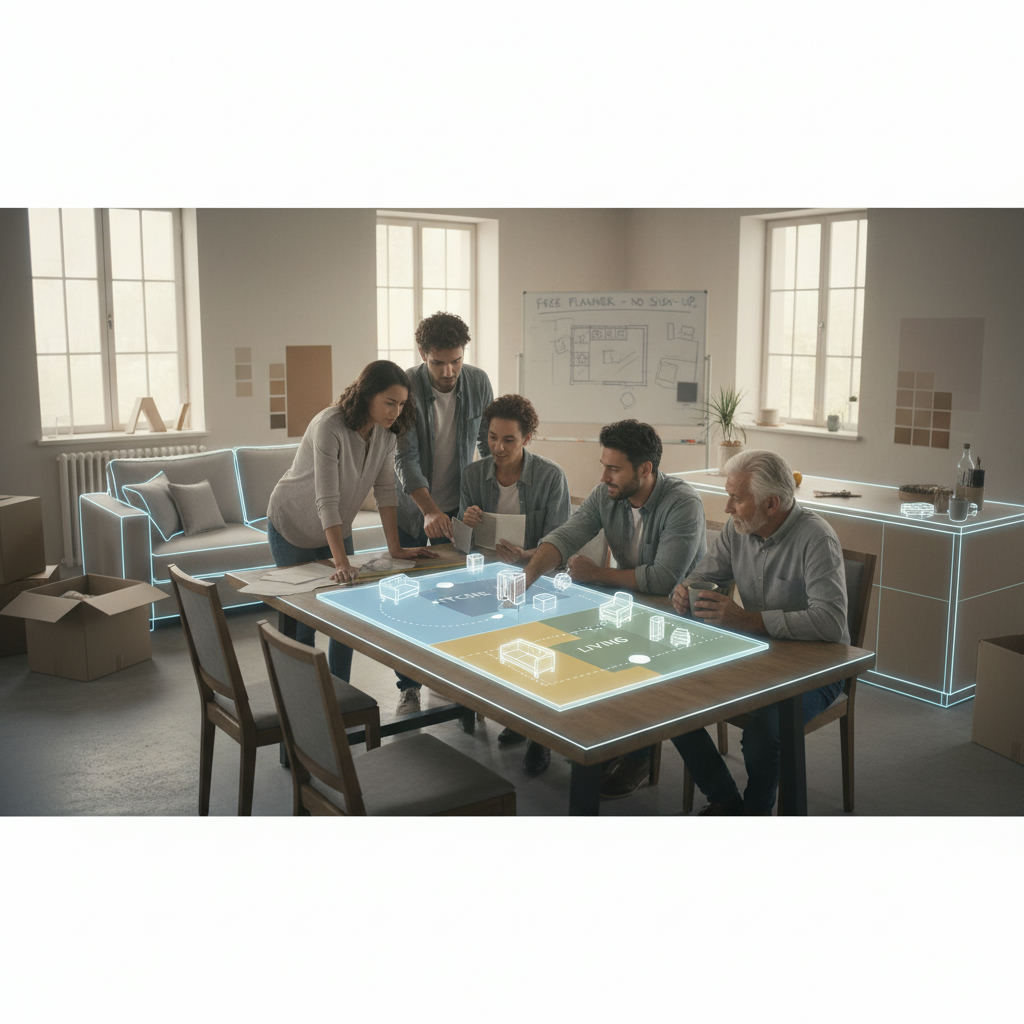
An open plan kitchen living room layout requires careful planning to ensure zones work, furniture fits, and traffic flows without obstruction.
By Free Room Planner Team · Last updated: May 2026TL;DR — Key Takeaways
- Use the free planner above to draw your room shell, define zones, and test furniture positions before committing to anything.
- Open plan spaces need three defined zones: cooking, dining, and living. Get the proportions right on paper first.
- Traffic lanes need at least 900mm (36in) clearance throughout — especially around the kitchen.
- An island or area rug works as a zone anchor. Place these first, then fill in surrounding furniture.
- Export your finished floor plan and send it straight to your builder or kitchen fitter to cut down on costly miscommunication.
Try the Free Open Plan Layout Planner
This planner is built for exactly this situation. You draw the walls of your room, drop in your kitchen units, dining table, and sofa, and the tool shows you — in real dimensions — whether everything actually fits.
No sign-up. No download. No cost. Just open it in your browser and start drawing.
Here's what it lets you do specifically for an open plan kitchen-living space:
- Draw your room shell with accurate wall lengths using snap-to-grid precision
- Mark doors, windows, and structural features like chimney breasts or columns
- Define kitchen, dining, and living zones by placing units and furniture in each area
- Test kitchen configurations — island, peninsula, or galley — without lifting a single cabinet
- Check traffic lane widths with live measurements as you place each piece
- Arrange your living area and confirm sightlines and sofa clearances
- Export a clean PNG floor plan to share with your builder, kitchen fitter, or interior designer
The tool works on any device. Start with your room dimensions, and the rest of this guide will walk you through exactly what to do next — step by step.
What Makes Open Plan Kitchen-Living Spaces Different to Plan
Planning a bedroom or a bathroom is relatively contained. You're working with a single function. An open plan kitchen-living room combines at least three distinct activities — cooking, eating, and relaxing — in one shared space, without walls to do the organising for you.
That changes everything about how you plan it.
The challenge isn't just fitting the furniture. It's making sure the space feels right to live in — that cooking smells don't overwhelm the sofa, that the TV isn't opposite a window, that there's a clear path from the back door to the fridge without walking through someone's dinner party.
Most people underestimate this until they're standing in a half-gutted room wondering why it doesn't feel right. Drawing it out first — in a proper floor planner with real measurements — is what separates a successful open plan renovation from an expensive one.
The Zoning Problem
Zones are the invisible structure that makes an open plan space liveable. Without them, a combined room just feels like a big room with too much stuff in it.
The problem is that most people can't judge zone size from a floorplan sketch or a Pinterest board. They see a beautiful kitchen-diner-living room in a magazine and assume the proportions will translate to their space. They usually don't.
A dining table for six needs more floor area than you think — roughly 3.6m x 3m (12ft x 10ft) once you account for chairs pulled out on all sides. A proper sofa grouping can easily eat 4m x 3.5m (13ft x 11.5ft). The kitchen run itself, plus its clearance zone, takes another significant chunk. Add those together in a 5m x 8m room and you'll quickly see where the tension is.
Drawing the zones in the planner — before placing a single piece of furniture — forces you to confront the real numbers. That's the most valuable thing you can do at the start of this process.
Traffic Flow in a Shared Space
Traffic flow is the planning concept most homeowners ignore until they've already moved in and started bumping into things.
In a combined kitchen-living room, people move constantly — from the front door through to the kitchen, from the kitchen to the dining table, from the dining area to the sofa, and out to any garden or hallway exit. Each of those paths needs to be clear and wide enough to use without thinking.
The standard clearance for a kitchen walkway is 900mm–1000mm (36in–39in) minimum. In a heavily trafficked area — like the gap between a kitchen island and a dining table — 1200mm (47in) is more comfortable. These aren't suggestions. Get them wrong and the space becomes a daily irritation.
The good news: the planner shows you live measurements as you arrange, so you can check every lane width before anything is built.
Step 1: Measure Your Space and Draw the Shell
Before you place a single item, you need an accurate room outline in the planner. This is the foundation everything else builds on, and it's worth taking an extra ten minutes to get it right.
Grab a tape measure, a notepad, and work through the room systematically. Don't estimate. A 200mm (8in) error in your wall length will cascade through every decision you make after it.
Once you have your measurements, open the planner and draw the shell. Use the snap-to-grid feature so every wall locks to a precise dimension. Add doors and windows in their correct positions — these will dictate where your kitchen run can go and where your sofa can't.
Open the planner now and draw your room shell before moving to the next step.
What to Measure Before You Start
- Overall floor dimensions — length and width of the full space, measured at skirting board level
- Door positions and swing directions — measure from the corner to each door frame, and note which way the door opens
- Window positions and sill heights — measure from the corner to each window frame, plus the sill height from the floor (relevant for kitchen units placed beneath windows)
- Any structural features — chimney breasts, columns, alcoves, or stepped ceilings; measure their depth and width carefully
- Radiator and socket positions — these constrain furniture placement more than most people expect; mark them on your plan
- Ceiling height — relevant if you're planning tall units or open shelving that needs to work with beam heights or extraction venting
Step 2: Define Your Zones Before You Place Furniture
This is the step most people skip — and it's the one that causes the most problems later.
Before you drag a single sofa or kitchen unit into position, mark out where each zone will sit. You don't need furniture to do this. You just need to divide the floor area into three regions: cooking zone, dining zone, and living zone.
Think of it like drawing rough rectangles on the plan. The exact boundaries will shift as you work through the steps, but committing to approximate proportions now stops you from accidentally giving the kitchen 60% of the room and leaving the living area cramped.
Use the planner to block out your three zones now — even roughly — before adding any furniture.
How Much Space Does Each Zone Need?
Here are practical minimums to work from:
Cooking zone: A standard kitchen run needs at least 2.4m (8ft) of wall length for basic appliances. Add 1.0m–1.2m (39in–47in) of clearance in front for the cook to work and for appliance doors to open fully. If you're planning an island, the island itself needs 900mm–1000mm (36in–39in) of clearance on all working sides.
Dining zone: Allow 600mm (24in) of space per chair along the sides of a dining table, plus 900mm (36in) between the table edge and any wall or furniture behind the chairs. A table for four needs roughly 2.4m x 2.0m (8ft x 6.5ft) of clear floor space. A table for six needs closer to 3.0m x 2.4m (10ft x 8ft).
Living zone: A standard three-seat sofa runs about 2.2m–2.5m (7ft–8ft) wide. With a coffee table and armchairs, a comfortable living grouping typically needs at least 3.5m x 3.5m (11.5ft x 11.5ft) of floor area. Allow 400mm–450mm (16in–18in) between the sofa and the coffee table for comfortable legroom.
Using a Rug or Island as a Zone Anchor
Every zone works better with an anchor — a single element that visually defines the area and gives it a sense of purpose.
In the living zone, that anchor is usually an area rug. The rug doesn't have to be enormous, but it should be large enough that the front legs of the sofa and chairs sit on it. A common mistake is choosing a rug that's too small, which makes the seating group look adrift in the space.
In the kitchen zone, a kitchen island does the same job — it creates a visual and functional boundary between the cooking area and the rest of the room. It also gives the cook somewhere to interact with the room rather than facing a wall.
Place these anchor elements in the planner first, before surrounding furniture. They determine the logic of everything else.
Step 3: Plan the Kitchen Configuration Within the Open Plan Space
Now you're ready to get specific about the kitchen itself. In an open plan room, the kitchen configuration does more than determine where appliances go — it shapes how the kitchen relates to the dining and living areas, who can see the cook, and whether the space feels sociable or segregated.
The three most common configurations for open plan kitchens are the island, the peninsula, and the galley. Each one behaves differently in a shared space.
Test each configuration in the planner before deciding — moving units on screen costs nothing.
Island vs Peninsula vs Galley in an Open Plan Room
Island configuration An island sits free-standing in the room, open on all four sides. It's the most sociable option — the cook faces the dining and living zones, and guests can gather around it. It works best in rooms that are at least 4m (13ft) wide, because you need walkable clearance on all sides. An island also acts as a natural zone boundary between the kitchen and the rest of the space. The trade-off: it demands more floor area than the other options.
Peninsula configuration A peninsula is essentially an island attached to a wall or a run of units at one end. It gives you a similar social-facing cooking position and a natural bar or breakfast counter, but it uses less floor area. The downside is that it can create a one-sided barrier that channels traffic in a specific direction — which is either helpful or frustrating depending on your room shape. A peninsula works particularly well in L-shaped rooms or narrower extensions.
Galley configuration A galley kitchen runs two parallel rows of units along opposing walls, with the cook working in a corridor between them. It's highly space-efficient and excellent for serious cooking — but it closes the kitchen off from the rest of the room. In an open plan space, a galley can feel disconnected unless the open end of the corridor faces directly into the dining or living zone. It suits longer, narrower floor plans where an island simply won't fit.
For a deeper look at the full kitchen planning process, the guide on how to plan a kitchen renovation covers every stage from measuring to briefing your fitter.
Step 4: Arrange the Living Area to Work With the Kitchen
The living zone is where most open plan layouts fall apart — not because people make big mistakes, but because they treat it as an afterthought. They plan the kitchen in detail, then push the sofa against the wall and hope for the best.
The living zone needs the same intentional planning as the kitchen. And in an open plan space, its relationship to the kitchen matters as much as its internal arrangement.
Place your sofa and anchor furniture in the planner now, and check the distances to the kitchen and dining zones.
Sofa Placement Rules for Open Plan Spaces
1. Put the sofa's back toward the kitchen. This is the single most effective way to create a psychological boundary between zones without building a wall. A sofa facing away from the kitchen reads as a separate room, even in a completely open plan space. It gives the living zone a sense of enclosure and direction.
2. Float furniture away from the walls. In a single-function room, pushing furniture against the walls can work. In an open plan space, it creates a wide, empty corridor in the middle of the room that nobody knows how to use. Pulling the sofa 600mm–900mm (24in–36in) away from the wall creates a more defined zone and makes the space feel more intentional.
3. Establish a clear focal point. The living area needs something to face — usually a TV, a fireplace, or a feature wall. Place this focal point so it can be seen from the sofa without the viewer also staring directly into the kitchen. Avoid positioning the TV on a wall opposite a window, where glare will be a constant problem.
4. Keep the paths between zones clear. Leave at least 900mm (36in) between the sofa and the coffee table, and the same between any furniture edge and the dining zone. If you have to squeeze past a chair every time you walk from the kitchen to the living area, the arrangement needs adjusting.
For more specific guidance on furniture arrangement in combined spaces, the furniture arrangement tool online guide covers the principles in detail.
Step 5: Check Traffic Flow and Adjust
You've placed your zones. You've arranged the kitchen and living furniture. Now — before you call anything final — walk through your plan.
Trace these paths on the planner and measure the clearances:
- Entrance to kitchen: Is the route direct? Does it pass through any zone in a way that interrupts it?
- Kitchen to dining table: Can someone carry a large dish from the hob to the table without navigating around chairs or furniture?
- Dining to living zone: Is the transition smooth, or does something create a pinch point?
- Living zone to any exit — garden door, hallway, or utility room: Is there a clear 900mm+ lane all the way?
If any path is narrower than 900mm (36in), or if a route passes awkwardly through the middle of another zone, something needs to shift. In the planner, this usually means nudging a furniture piece 100mm–200mm (4in–8in) in one direction — a small adjustment on screen that makes a real difference to daily life.
Do a final traffic audit in the planner before you export. It takes five minutes and can save a costly rethink later.
If your open plan space is the result of a garage conversion or knock-through extension, the guide on planning a garage conversion floor plan has useful guidance on dealing with structural constraints that affect traffic routes.
Common Open Plan Planning Mistakes — and How to Fix Them
These are the errors that come up again and again in open plan kitchen-living rooms. Most of them are invisible until the room is finished — unless you catch them at the planning stage.
- Oversized sofa that dominates the living zone. A three-seater-plus-chaise might look amazing in a showroom. In a combined room, it can eat the entire living allocation. Fix: measure your sofa's footprint and drop it into the planner before buying.
- Undersized dining table that looks lost. Going too small to save space often backfires — a small table in a large room looks like a mistake, not a choice. Fix: use the zone allocation minimums above to size the table, then confirm it in the planner.
- Tall units or open shelving blocking natural light. Placing tall kitchen units along a wall that contains a window cuts light to the rest of the room. Fix: mark window positions in the planner first and keep tall elements away from them.
- Ignoring the kitchen extraction position. Extraction hoods need to vent somewhere — usually through an external wall or up through a ceiling. In an open plan extension, this can seriously constrain where the hob can go. Fix: confirm your extraction route with your builder before finalising the kitchen position.
- TV placed opposite a window. Glare is a chronic problem in open plan spaces with large windows or bi-fold doors. Fix: in the planner, note your window positions and check that no potential TV wall sits directly opposite.
- Dining chairs that block the kitchen walkway when pulled out. A dining table placed too close to the kitchen run means every meal involves guests' chairs blocking the cooking zone. Fix: allow at least 900mm (36in) between the table edge and any kitchen unit.
- Living zone that feels like a corridor. When the living area is placed at the far end of a long room with a sofa against the back wall, it reads as a dead end rather than a destination. Fix: orient the seating group inward, use a rug to anchor it, and ensure clear sightlines back into the room.
Export Your Plan and Share It With Your Builder or Designer
Once your plan holds up — zones are proportioned correctly, traffic flows freely, and the furniture fits — it's time to export it.
The planner exports a clean PNG image of your floor plan, complete with measurements. That single file does more to align a contractor briefing than any conversation could.
Here's what to do with it:
- Send it to your builder or fitter before they quote, so they're pricing the right arrangement — not guessing at what you mean
- Share it with a kitchen supplier to get accurate unit sizing and configuration advice
- Use it as a reference during demolition and first-fix to confirm where walls, sockets, and plumbing need to go
- Attach it to any planning permission application if your open plan conversion requires permitted development documentation — having an accurate floor plan drawn already speeds that process up considerably
A drawn plan also gives you something concrete to push back with if a contractor suggests an arrangement that doesn't match your intentions. It puts you in control of the conversation.
If you're moving on to the full renovation process after this, the detailed guide on how to plan a kitchen renovation covers every stage from this point forward — measurements, fitter briefings, appliance sequencing, and more.
Conclusion
Open plan kitchen-living rooms are worth the effort to plan carefully. They're the kind of space that can transform how a home feels — sociable, light-filled, genuinely connected. But they only work when the zones are right, the traffic flows freely, and the furniture is arranged with intention rather than optimism.
The best way to get there isn't to study inspiration galleries. It's to draw your own room, in your own dimensions, and test your decisions before anything is built or bought.
That's exactly what the free planner at the top of this page is for. No sign-up. No download. No cost. Open it, draw your space, and start planning — right now.